

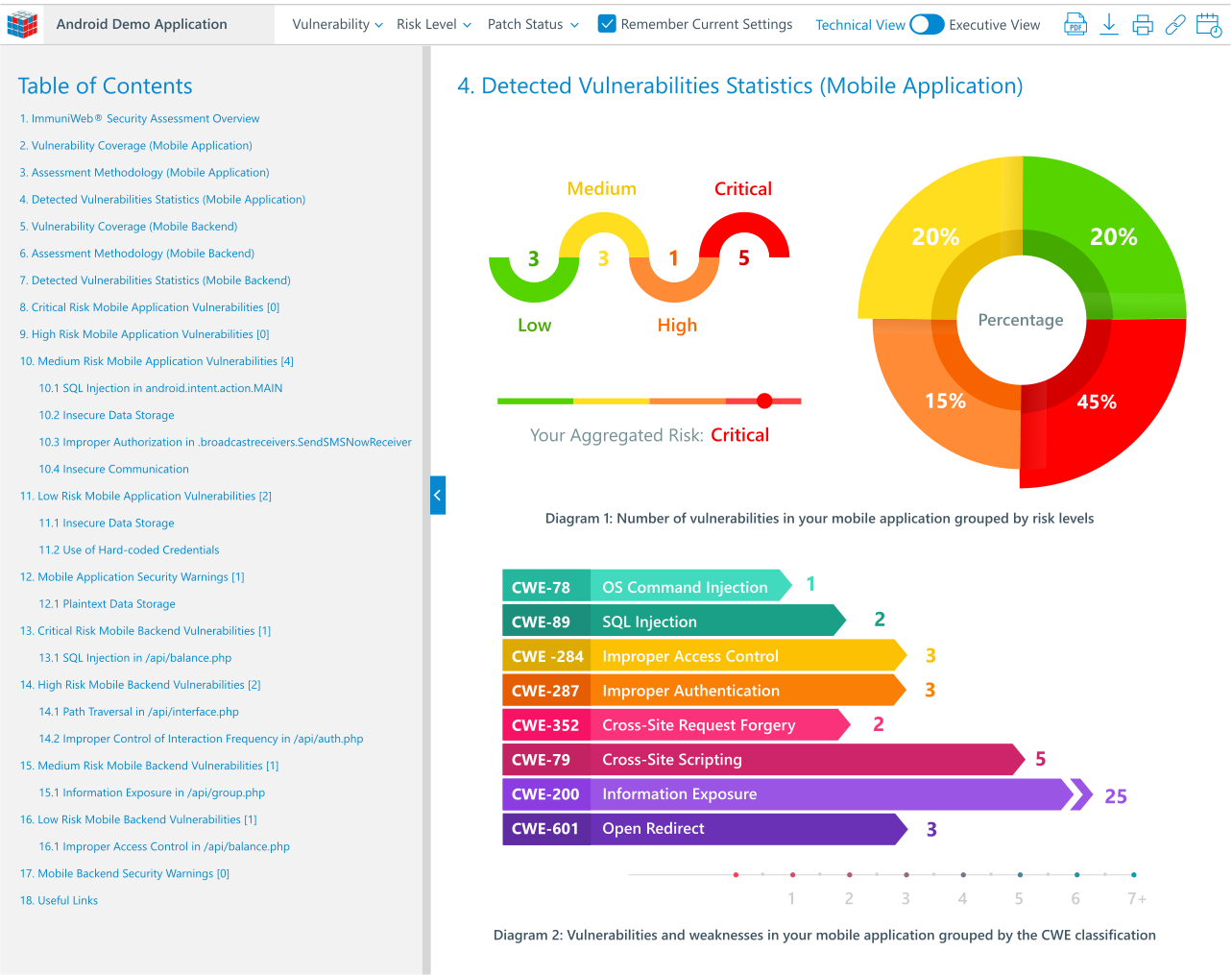






Mobile apps are now a must-have in our daily lives, for everything from banking and talking to people to having fun and getting work done. But this also means there's a bigger chance of cyber threats. Keeping these apps secure is super important. Mobile pen testing is a key way to find and fix weaknesses before bad guys can get to them.
By acting like real attackers, it helps companies protect private info and keep users trusting them in this mobile-driven world.



What Is Mobile Penetration Testing?

Mobile pen testing is like a fake cyberattack on an app to find security holes. Unlike automatic scans that look for known problems, pen testing uses real people who think like hackers. It's not just about finding bugs; it's about seeing how those bugs could be used in a real attack, what info could be stolen, and how it could hurt the business. This gives companies a better view of how secure their app really is.
The test covers everything that makes the app work, including the app on your phone, the stuff it talks to online, and the computers that hold the data. Testers check for things like unsafe data storage, bad login methods, broken security codes, and weak ways to prove who you are. The idea is to find any hole that could let an attacker in to steal data, mess with things, or shut things down.
Basically, mobile pen testing gives a realistic idea of how well an app can stand up to attacks. It's about knowing what could be attacked, figuring out what's most important to fix, and giving useful advice on how to fix it. By finding problems before they're used by attackers, companies can prevent data leaks, money loss, damage to their reputation, and fines, making their whole mobile setup more secure.
Key Aspects of Mobile Penetration Testing
Mobile pen testing includes a few important things that make it different from other security tests. First, you need to know a lot about phone systems (iOS and Android), how they work, and common problems with them. This includes knowing about how apps are separated from the rest of the system, how they talk to each other, and how they use the phone's hardware and other apps. Testers need to know the details of each system to find problems that automatic tools might miss.
Second, an important thing is checking how the app talks to its servers. This often means grabbing and messing with internet traffic to find unsafe connections, bad data protection, and ways to skip logins. Testers will check how data is sent, if it's protected well, and if the app checks what you put in and out to stop common internet problems from being used through the app. This server side is often a weak spot for mobile apps.
Last, mobile pen testing also checks how easy it is for users and if they can be tricked. Testers might look for ways an attacker could trick a user into giving away private info or allowing things they shouldn't. This human part, along with checking the code and computers, gives a full picture of the app's security. Knowing how a user might be tricked, or how an app's design could accidentally cause a security problem, is a key part of a good mobile pen test.
Why Is Mobile Penetration Testing Important?
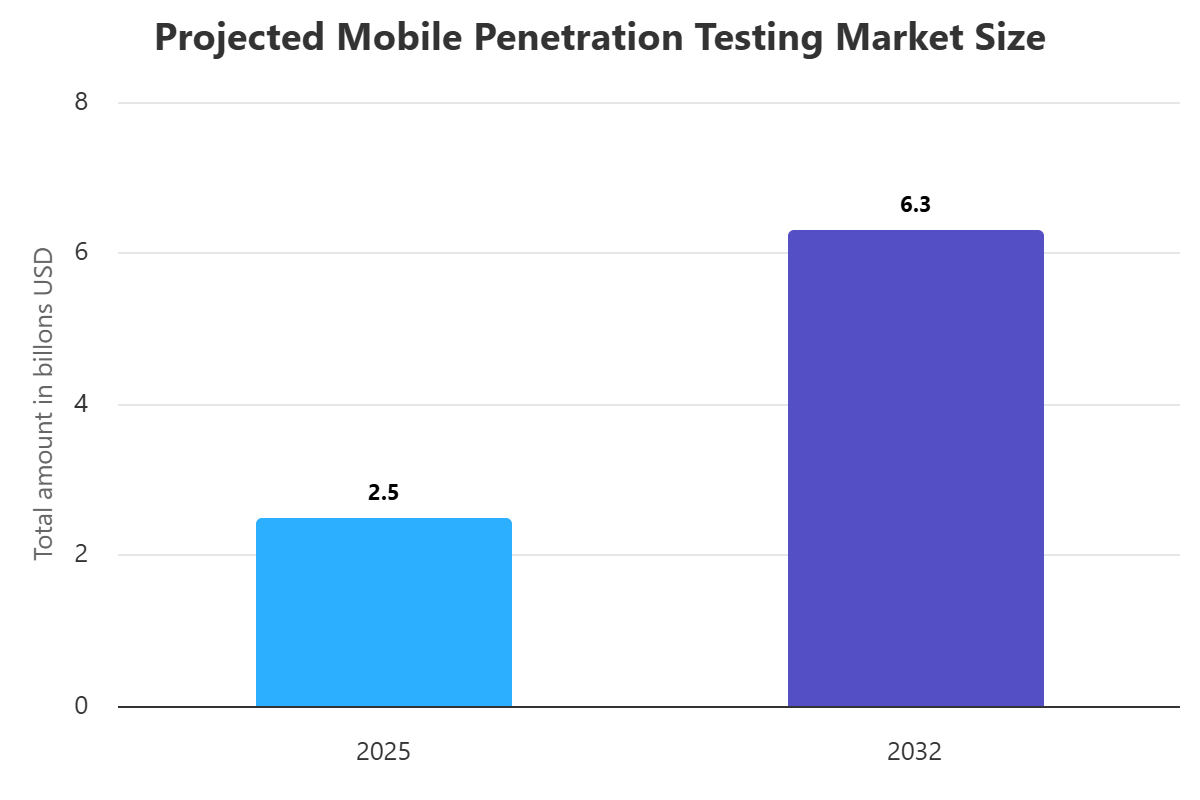
Because we use mobile apps so much for important stuff and private info, mobile pen testing is really important. With so much private info on phones and tablets, these devices are big targets for criminals. Without good security, including regular pen testing, companies could leak user data, money info, and company secrets to attackers, with really bad results.
A big data leak from a weak mobile app can also really hurt a company's image and make customers not trust them. These days, people trusting you is super important. If there's a security problem, word gets around fast, causing lost customers, less business, and long-term damage to your image that's hard and expensive to fix. Doing mobile pen testing shows you care about security, which helps build and keep user trust.
Besides image and data protection, following the rules is another good reason to do mobile pen testing. Many businesses have to follow strict data protection rules, like GDPR, HIPAA, and CCPA, which require good security. Not following these rules can mean big fines and legal trouble. Mobile pen testing helps companies find and fix problems that could lead to not following the rules, reducing legal and money risks.
How Does Mobile Pen Testing Work?
Mobile pen testing usually follows a set plan, starting with getting info. In this first part, the testers gather as much info as they can about the app, what it does, and how it works. This might mean using public info, checking what the app says it does, and finding any related connections or services. The idea is to get a full idea of how the app works and what could be attacked.
After getting info, the main part of the test is checking for and using weaknesses. Testers use different tools to find common app problems like unsafe data storage, weak logins, bad session handling, broken data protection, and unsafe connections. They'll try to use these problems to see what could happen and how much an attacker could mess with the app or its systems. This often means taking the app apart, messing with its files, and grabbing internet traffic.
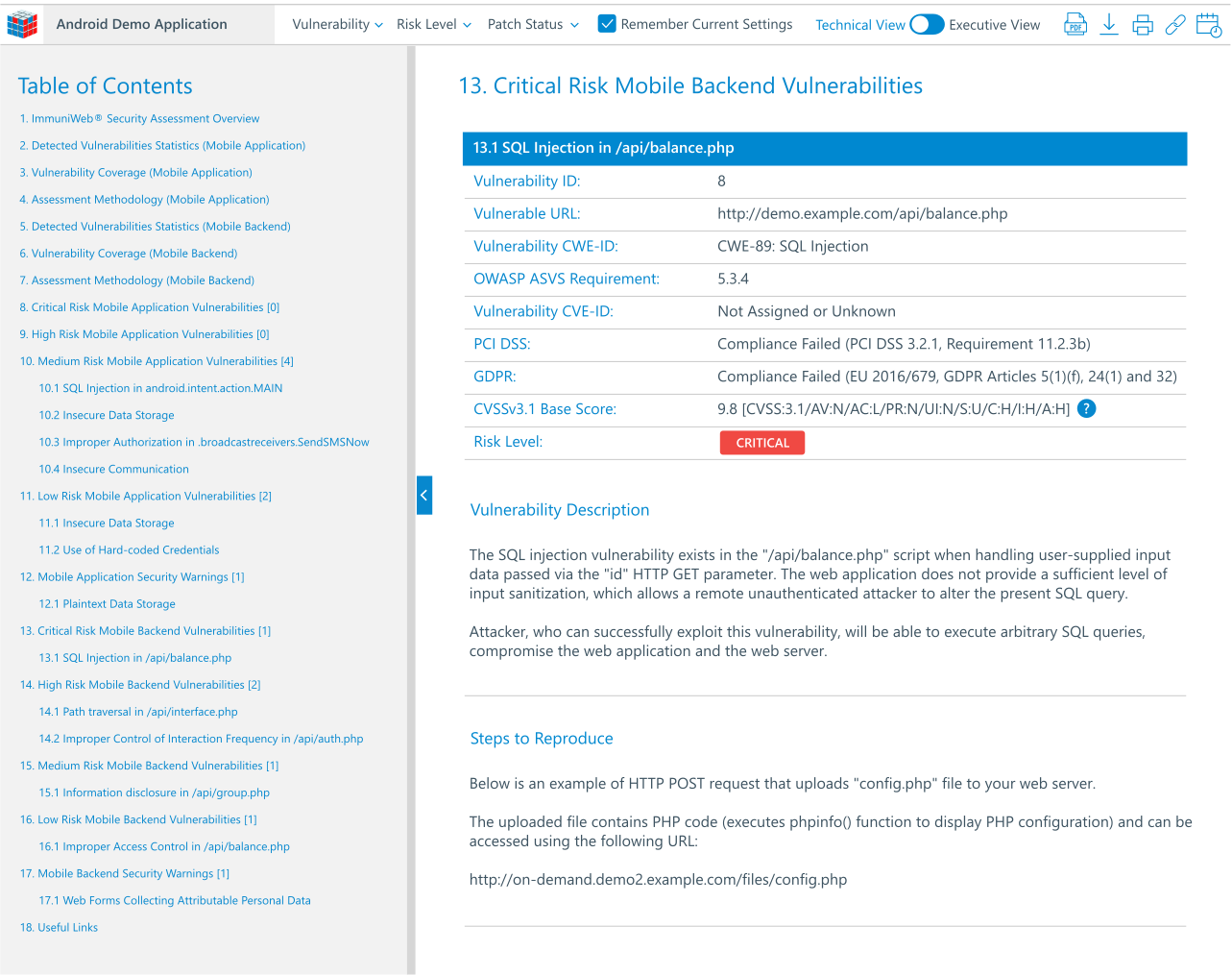
Finally, the process ends with a report and fixes. Once problems are found and used, the testers write down everything carefully, including what each problem is, how to make it happen again, and what could happen because of it. Importantly, they also give useful advice on how to fix it, sorting problems by how serious they are and how easy they are to use. This report is like a guide for the developers to fix the security holes and make the app stronger.
Types of Mobile Pen Testing
There are a few kinds of mobile pen testing, each focusing on different things based on what you want to achieve and what info you have. Black Box Testing is like an attack from a hacker who knows nothing about the app's insides or code. Testers act like outsiders, using only public info and their knowledge of common mobile attacks. This is good for seeing how well the app can be attacked from the outside and finding problems that can be used without any inside access.
On the other hand, White Box Testing gives the testers full access to the app's code, designs, and other inside info. This allows for a much deeper check of the app's security, as testers can look at the code for hidden problems, unsafe coding, and logic mistakes that might not be obvious from the outside. White box testing is really good for finding hard problems and making sure coding rules are followed.
A mix of both, called Gray Box Testing, gives testers some limited info about the app's insides, like access to some features or user accounts, but not full access to the code. This is like an attack from someone on the inside or a hacked user, giving a more real idea of possible attacks from people with some access. Each type gives different views of an app's security, and the choice often depends on what you want to achieve and how much money you have.
Components of Mobile Pen Testing
Mobile pen testing checks a few important parts that together make up how secure an app is. The most obvious part is the app itself, with its code, files, and stuff on the device. Testers check the app's code for problems like unsafe data storage on the device, bad checking of what you put in, unsafe internet connections, and the chance of taking the app apart and messing with the code. This includes checking the app's files for hidden logins, private info, or logic problems that could be used.
Another important part is the servers and connections that the app uses. Almost all apps talk to servers for data storage, logins, and how the app works. Pen testers will check these connections for common problems like SQL injection, cross-site scripting (XSS), insecure direct object references (IDOR), and broken logins. Keeping these servers secure is super important, as a problem here can expose data from all connected phones.
Finally, the ways the app and servers talk to each other are important. This means checking how data is sent over the internet, if data protection is done right (like strong TLS/SSL settings), and if private info is protected well while being sent. Testers will look for chances to grab, change, or repeat internet traffic to get access or mess with data. How strong these connections are directly affects how secure the app and its user data are.
Benefits of Mobile Pen Testing
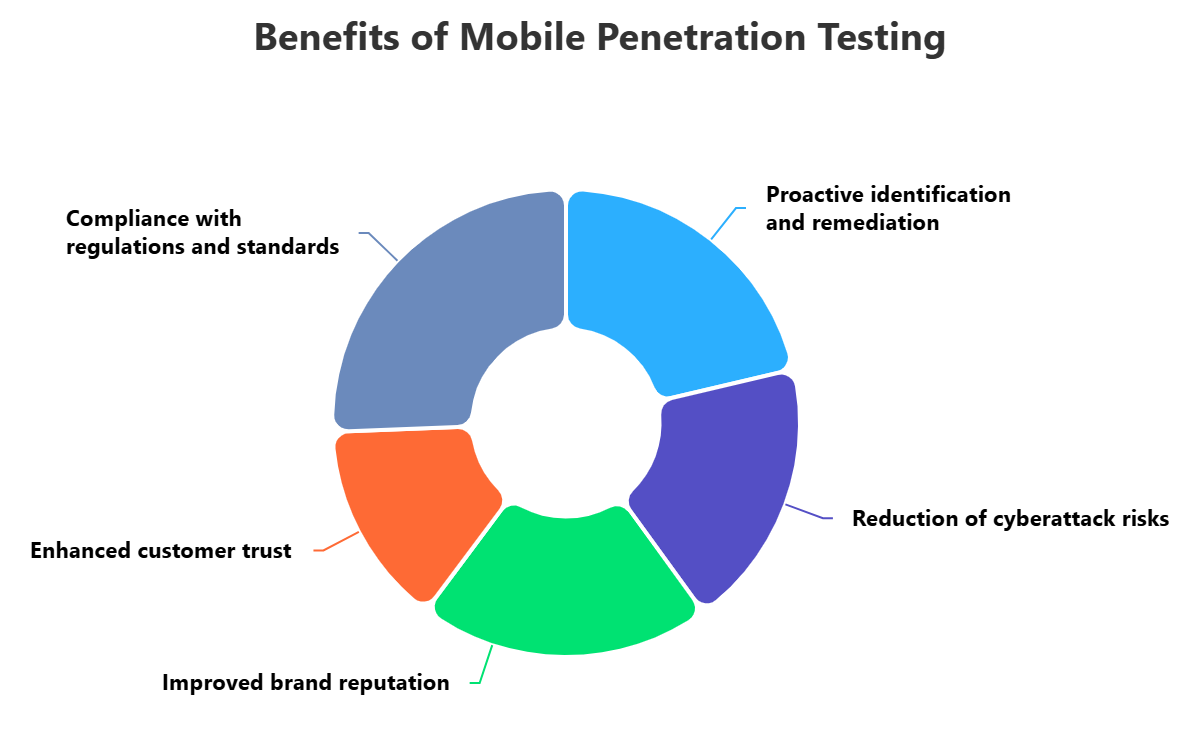
The good things about doing regular mobile pen testing are many and go beyond just finding problems. One of the main benefits is finding and fixing security holes before bad guys can use them. By acting like real attacks, companies can find and fix problems in their apps, stopping costly data leaks, image damage, and possible legal issues. This helps a lot in reducing the chance of attack and making security stronger.
Also, mobile pen testing helps companies follow rules and standards. Many data protection laws and business rules require good security for apps that handle private info. Regular pen testing gives proof that you're doing your best to secure apps, helping you meet the rules and avoid fines and legal trouble. It shows you care about security, which is often needed for certificates and checks.
Besides security and rules, mobile pen testing also makes customers trust and respect your brand more. In a time when data leaks are common, users care more about the security of their info. By putting money into good security testing, companies show they're serious about protecting user data, making them trust the apps and services more. This trust can lead to more users, loyalty, and a better chance in the market.
Challenges with Mobile Pen Testing
Even with all its benefits, mobile pen testing has its own problems. One big issue is how spread out the mobile world is, especially Android. With so many phone makers, Android versions, and custom systems, testing everything can be really hard and take a lot of time. This can cause problems that only happen on certain systems, which are hard to find and repeat on different devices.
Another big problem is how fast apps are updated. Apps often get new features and fixes, sometimes even every day. This makes it hard to do good pen tests for every new version. Keeping up with security testing while also doing fast updates needs a lot of effort and good testing methods to avoid slowing down the development process.
Also, getting around security and finding hidden problems can be hard. Mobile systems have different security things like sandboxing, code signing, and hiding code, which are meant to stop attacks. Pen testers need to have good skills and use advanced tools to get past these things and find deep problems that might not be seen right away. The constant back and forth between developers adding security and attackers trying to get past it makes mobile pen testing a hard and changing field.
Best Practice of Mobile Pen Testing
To get the most out of mobile pen testing, it's important to follow some good practices. First, you need to have a clear idea of what you want to test before starting. This means knowing which app features to test, which systems to test on (iOS, Android, or both), what kind of testing to do (black, white, or gray box), and what you want to get out of it. Knowing what you want to test makes sure you focus your efforts and cover everything important, saving time and getting useful results.
Second, regular testing should be part of the app development process. Instead of testing once in a while, companies should test security at different times, from design to after release. This helps find problems early when they're cheaper and easier to fix, instead of right before or after release, which can cause delays and more work.
Finally, talking to each other and writing detailed reports are important for fixing problems. Pen testers should give clear reports that explain what they found, why it matters, and how to fix it. This report should be easy to understand for everyone, technical or not. Also, having good talks between the security team, developers, and business people makes sure problems are understood, sorted by importance, and fixed well, leading to better security overall.
How ImmuniWeb Can Help with Mobile Penetration Testing?
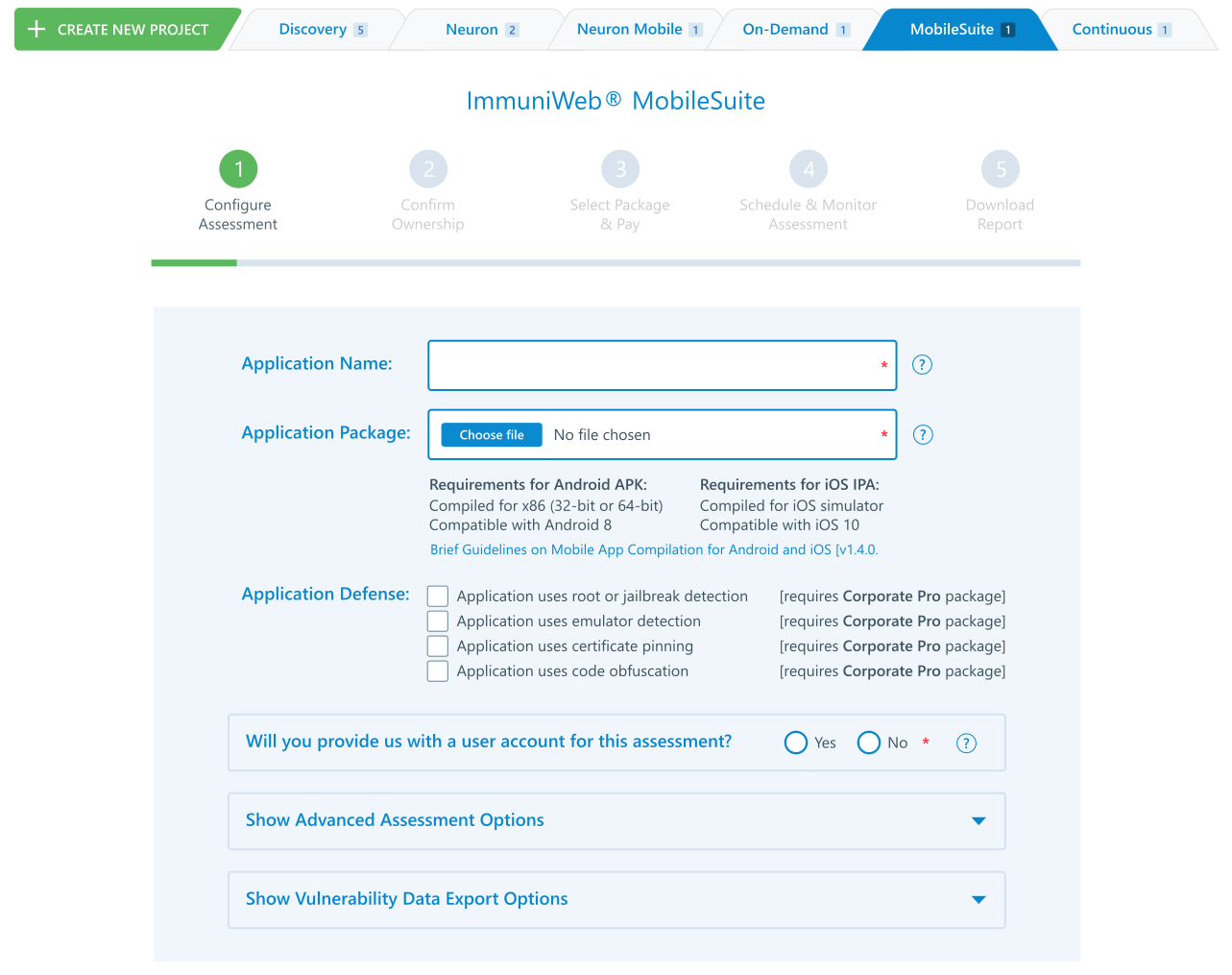
Test your mobile application security, compliance and privacy with ImmuniWeb® MobileSuite mobile penetration testing. Just upload your iOS or Android mobile app, customize your penetration testing requirements, schedule the penetration test date and download your mobile penetration test report. Verify whether your mobile app’s privacy and encryption mechanisms conform to the industry best practices, as well as detect dangerous misconfigurations affecting your mobile app’s backend and APIs.
Our mobile penetration testing is equipped with a contractual zero false positives SLA and a money-back guarantee: if there is a single false positive in your penetration testing report, you get the money back. Detect OWASP Mobile Top 10 weaknesses in your mobile app and discover SANS Top 25 and OWASP API Top 10 vulnerabilities in the mobile app’s backend including APIs and web services. Run a Black Box or authenticated security testing using SSO, MFA or OTP authentication mechanisms. The mobile penetration testing is accessible around the clock 365 days a year.
Leverage our unlimited patch verification assessments after the mobile penetration test, so your software developers can easily validate whether all the findings have been properly patched. Export vulnerability data from your interactive dashboard to a PDF or XLS file, or just get the mobile penetration testing data directly into your SIEM or bug tracking system for faster remediation via our DevSecOps integrations. Enjoy 24/7 access to our security analysts may you have any questions or need assistance during the penetration test.
Disclaimer
The above-mentioned text does not constitute legal or investment advice and is provided “as is” without any warranty of any kind. We recommend talking to ImmuniWeb experts to get a better understanding of the subject matter.


















 API Penetration
 API Security
 Application Penetration
 Application Security
 Attack Surface
 Automated Penetration
 Cloud Penetration
 Cloud Security
 Continuous Automated
 Continuous Breach and
 Continuous Penetration
 Continuous Threat
 Cyber Threat
 Data Security Posture
 Dark Web
 Mobile Penetration
 Mobile Security
 Network Security
 Penetration
 Phishing Websites
 Third-Party Risk
 Threat-Led
 Web Penetration
 Web Security